Getting started
A design on foil.tools runs through eight stages: say what the job is, choose a section, read it at your Reynolds number, shape it if you must, build the wing, analyse it, balance the aircraft, and make the files the shop needs. Each stage hands something to the next, and two of them can send you back. This page is one pass through all eight with the free tools, on one worked example, with a link to the page that explains each stage.
As a list
- The job: mass, speed, area, span and fluid on Mission give the operating points
- The section: Results, Search and Compare narrow the library to one name
- Read it: the foil page at your Reynolds number and Ncrit
- Shape it (optional): Optimize at the operating points, or edit on the Kulfan canvas
- The wing: planform, sections along the span, twist and dihedral
- Analyse: lift, drag and the first stall of the whole wing
- Balance: the wing and a stabiliser about the centre of gravity, on Trim
- Make it: STEP or STL of the wing, DXF or DAT of a section
Not enough lift, or too much drag? Analysis sends you back to the section; trim sends you back to the wing.
Transcript
- Mission takes the job: 95 kg on a 0.10 m² wing of 1 m span, in salt water, cruising at 7 m/s and taking off at 4 m/s.
- Search Database works out the Reynolds number and lift coefficient at each point, Re 590k and CL 0.37 at cruise, and ranks the library against them.
- Compare puts the shortlist and the NACA 63-412 the template carries on one chart at the stored Reynolds number nearest cruise.
- The section page has the stored sweep; type the exact Reynolds number and NeuralFoil runs it now. Max CL about 1.4 clears the take-off need of 1.14.
- The freeride reference design puts the section on a 1 m planform with 2° of washout; the viewer draws the loft the export will write.
- Wing analysis runs the whole wing: AeroBuildup in seconds, with the lift-to-drag ratio and where it stalls first.
- Wing analysis runs the whole wing in seconds. The cruise is good, but the Checks card says the tip stalls first: more washout or a different tip section, back at stage 5.
- Trim puts the wing and a stabiliser about the rider's centre of gravity and solves both together.
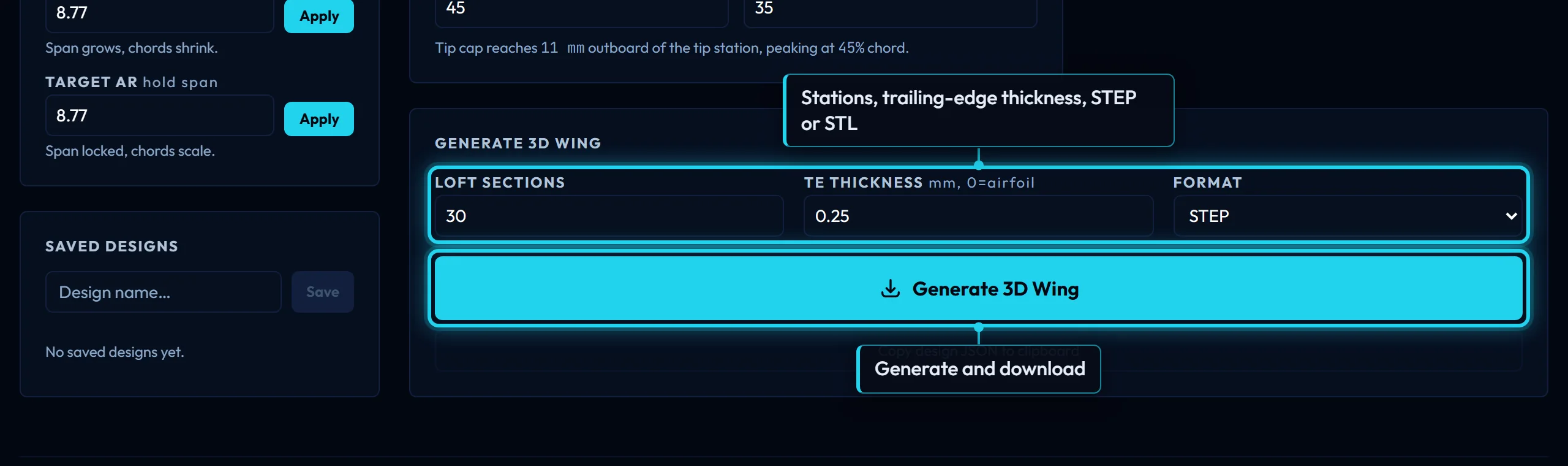
- Export writes the same loft as STEP for CAD or STL for printing; a section's DXF and DAT come from its page.
- Most of design is the arrow back: analysis sends you to the section, trim sends you to the wing, and you go round again.
The worked example
A freeride wing foil, the site's own Wing Foil — Freeride reference design: rider, board and rig 95 kg, cruising at 7 m/s in salt water, taking off at 4 m/s; a 1 m span front wing of about 0.10 m² with a 145 mm root chord and a 62 mm tip, on the NACA 63-412. The same numbers appear on every page in this guide, so what one stage hands on is what the next one starts from.
1. The job
How big, how fast, in what, carrying what? Mission takes mass, wing area, span, fluid and the speeds you must fly at, and turns them into operating points: for the freeride foil, a Reynolds number of about 590,000 and a lift coefficient of about 0.37 at cruise, and a lift coefficient of about 1.14 at take-off, which the section must reach without stalling. Search Database then ranks the library against those points. Mission and results explains every field, the two kinds of operating point, and the score.
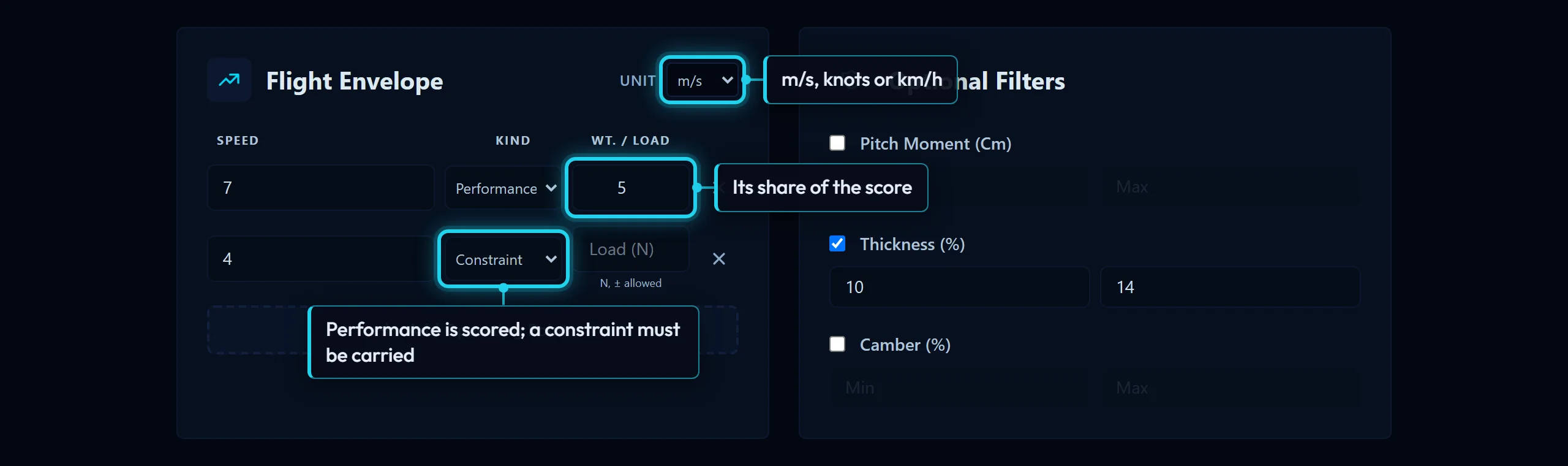
Hands on: the operating points, and a ranked shortlist.
2. The section
Which section does that job best? Results is the shortlist; Compare puts the top few on one chart at your Reynolds number so you can read drag at the cruise lift coefficient; Search is the way in when you know the family or the figures rather than the job. The example keeps the NACA 63-412 the template carries, because it holds the thickness a carbon layup wants. Search and Compare explain the filters and the chart.
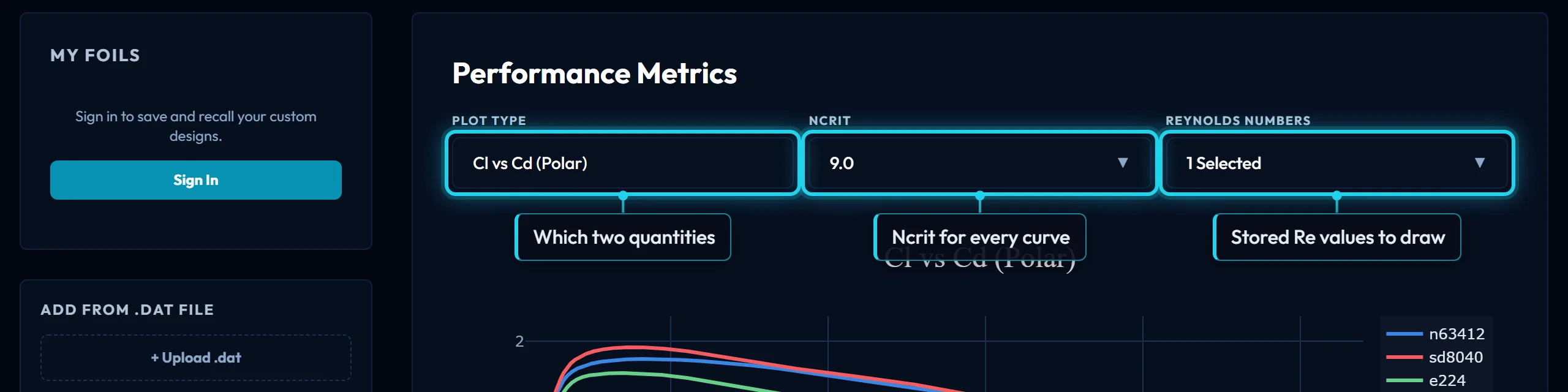
Hands on: one section's name.
3. Read it
What does it do at my Reynolds number and my Ncrit? Every section has a page at /foil/<name>. Load the stored sweep, tick the Reynolds numbers around yours, and type the exact value under "Run it at your Reynolds number" for a live NeuralFoil polar. The At a glance table reads off the stall peak, the best lift-to-drag ratio and the minimum drag: a maximum lift coefficient of about 1.4 clears the take-off need of 1.14. The foil page explains each control, Reynolds number the sum, and Ncrit the transition setting, which matters in choppy water.

Hands on: a verdict on the section, and its downloads if you need them now.
4. Shape it, if you must
Can the section be better at exactly these points? Optimize starts from the section you read and reshapes it against the operating points under thickness and camber bounds; the Kulfan canvas edits a section by its CST weights, fits a .dat of your own, and exports it at any chord. Most designs skip this stage. Optimize and Kulfan canvas explain the controls and why a run can return nothing.
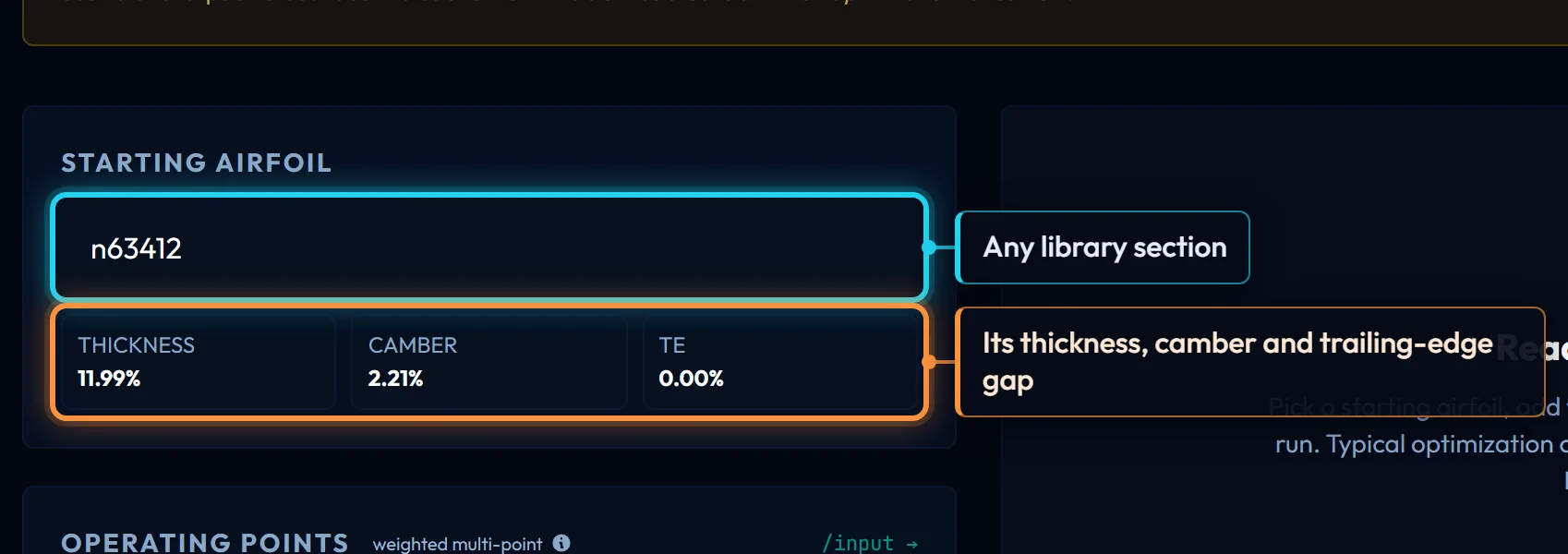
Hands on: an improved or edited section, saved to your account or exported.
5. The wing
What planform, which sections where, how much twist? "Build a wing on it", on the section page, opens the wing designer with that section at root and tip; the Reference Designs panel loads the freeride foil in one click. Set half-span, chords and sweep (Planform), pick the root and tip sections (Sections along the span), and set washout, dihedral and the tip cap (Twist, dihedral and the tip). The viewer draws the loft the export will write.
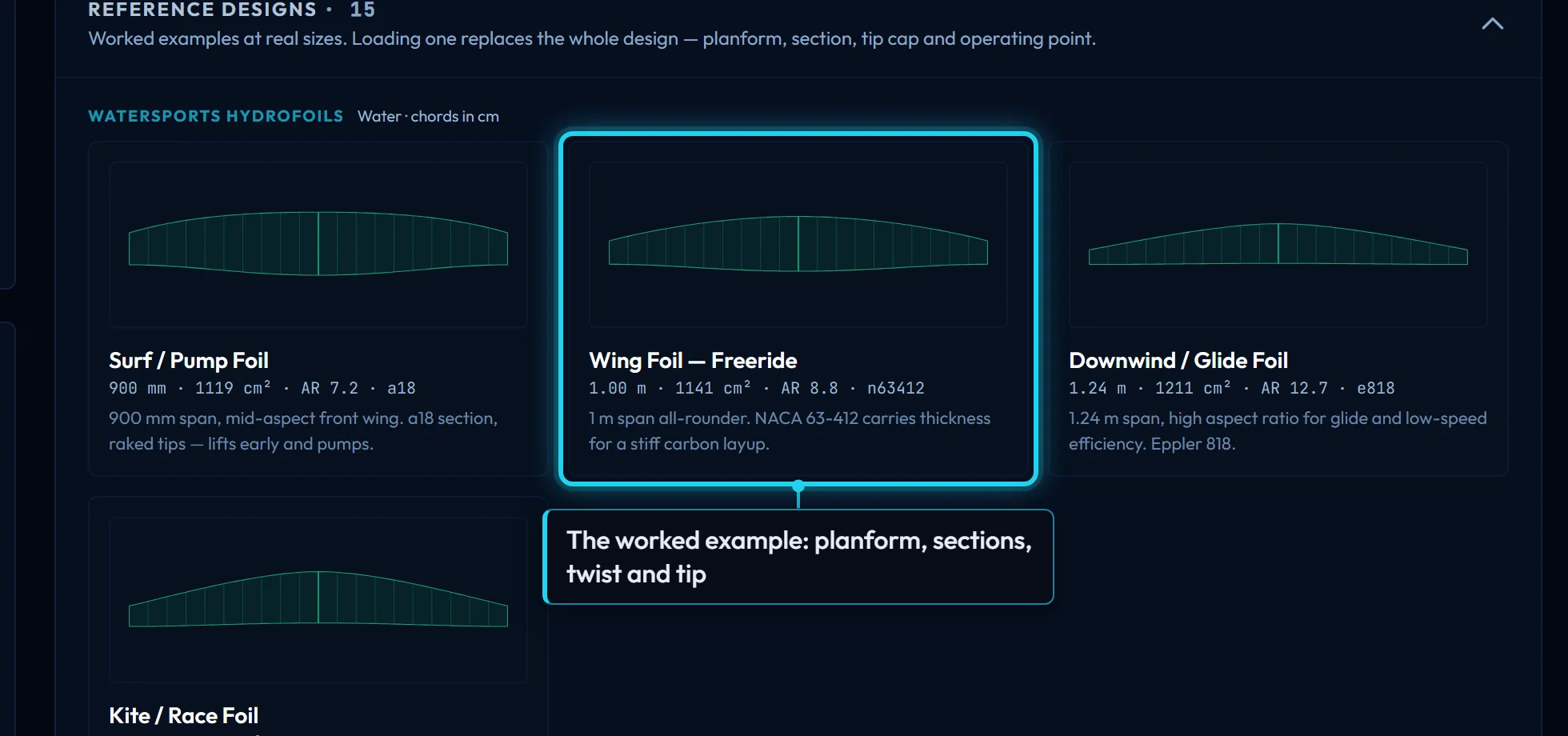
Hands on: a saved wing design.
6. Analyse
Does the wing make the lift at take-off, and what does it cost at cruise? Wing analysis runs the wing in 3D: AeroBuildup in seconds, or a vortex-lattice run for a more careful answer, in an angle sweep or at constant lift. It reports lift, drag, lift-to-drag ratio, span efficiency and where the wing stalls first. It is metered: a monthly free allowance, then credits. Wing analysis explains the methods and the readout.
The freeride wing shows why this stage exists. Its cruise is good, a lift-to-drag ratio near 30 at 7 m/s, but the Checks card under the results marks it FAIL: it stalls tip-first, at 72 % of the span, and a wing that stalls at the tip drops a wing when it stalls. The card names the fix: more washout, or a tip section with more maximum lift.
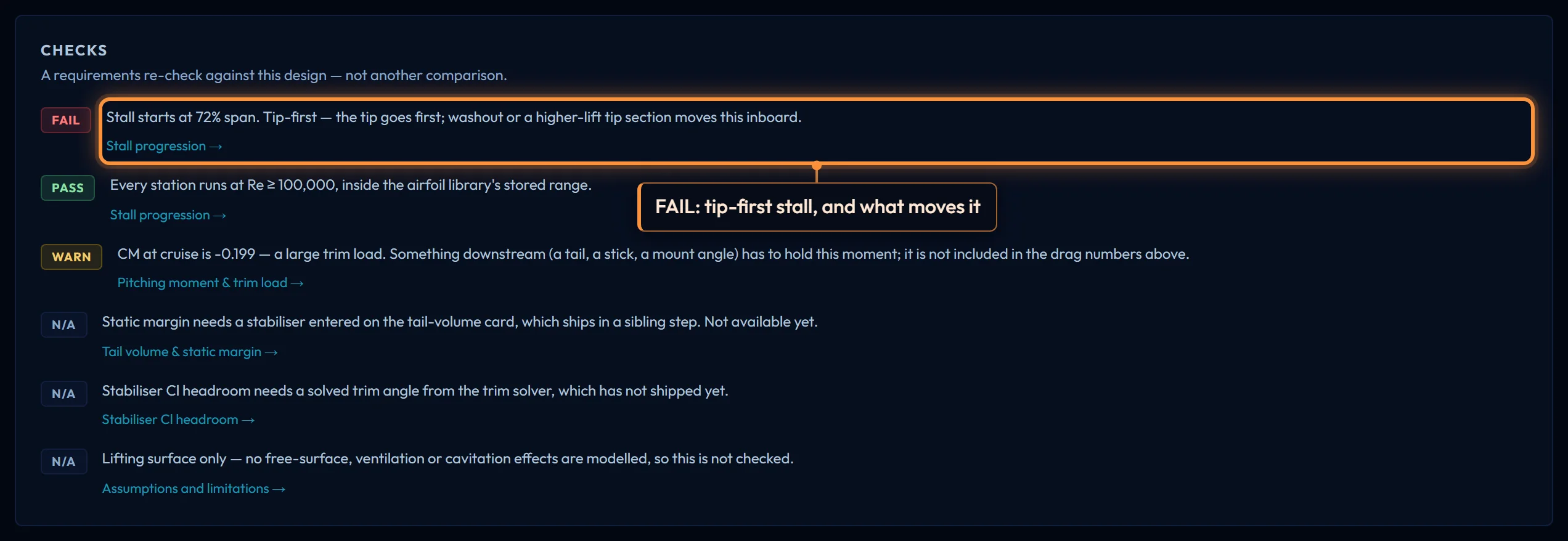
Hands on: the wing's numbers, or the arrow back: a tip-first stall means more washout or a different tip section (stage 5); not enough lift at 4 m/s means a different section (stage 2) or more wing (stage 5).
7. Balance
Does the rig fly level with the rider where the rider is? Trim puts the wing and a stabiliser about a centre of gravity and solves both together: trim angle, stabiliser setting, the load on each surface, the static margin and the thrust required. The hydrofoil template carries the freeride foil's rig. It is a paid tool. Trim explains the inputs and the outputs.
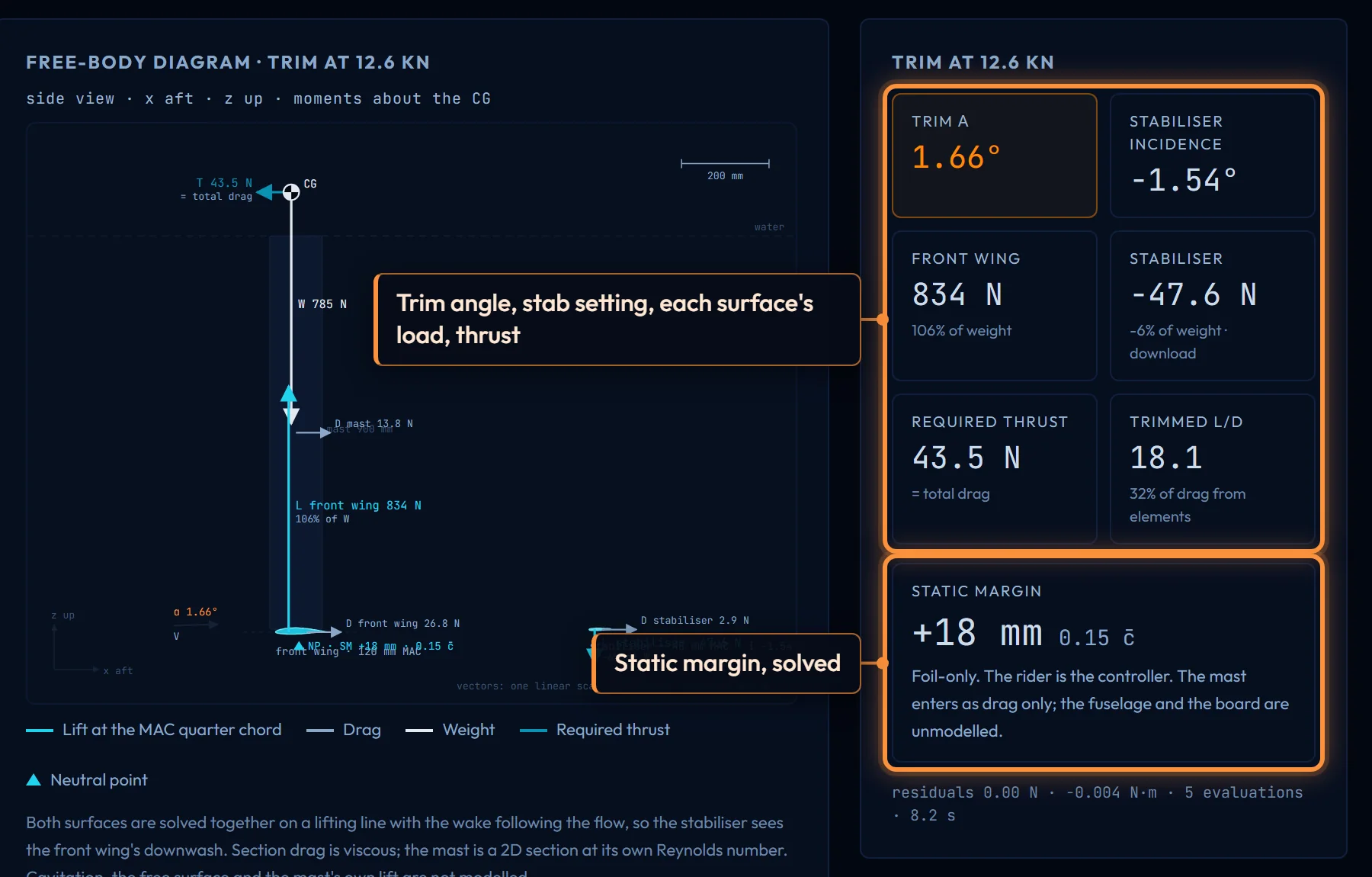
Hands on: a balanced rig, or the arrow back to the wing.
8. Make it
What file does the shop need? The designer exports the wing as STEP for CAD or STL for printing, sign-in required; a section page exports DXF for CAD, DAT for XFLR5 or OpenVSP, and CSV of the polars. Export says what the file holds compared with the viewer, and File formats says what each file contains and how it is scaled.
After the first pass
- Save your work. Signed in, sections, wing designs and wing analyses save to the dashboard and reload from there.
- Let an assistant drive. Claude, ChatGPT, Grok and Claude Code can run every one of these stages against your account through the connectors; Connect your agent is the setup, and MCP tools lists what they can call.
- Coming from another tool? Coming from XFLR5, Flow5 or OpenVSP maps their inputs onto these pages.
- Not sure which page you need? Which tool? goes from the question to the page.