Search
You know the family, or you know the figures: about 12 % thick, a little camber, thickness peaking near a third of the chord. Search is the way into the library for that reader. Every section is drawn on a card with its four geometry figures; from a card you open the section's page, select it for Compare, or download it. If you have a job rather than a name, use Mission, which ranks the library against your operating points.
Find it by name
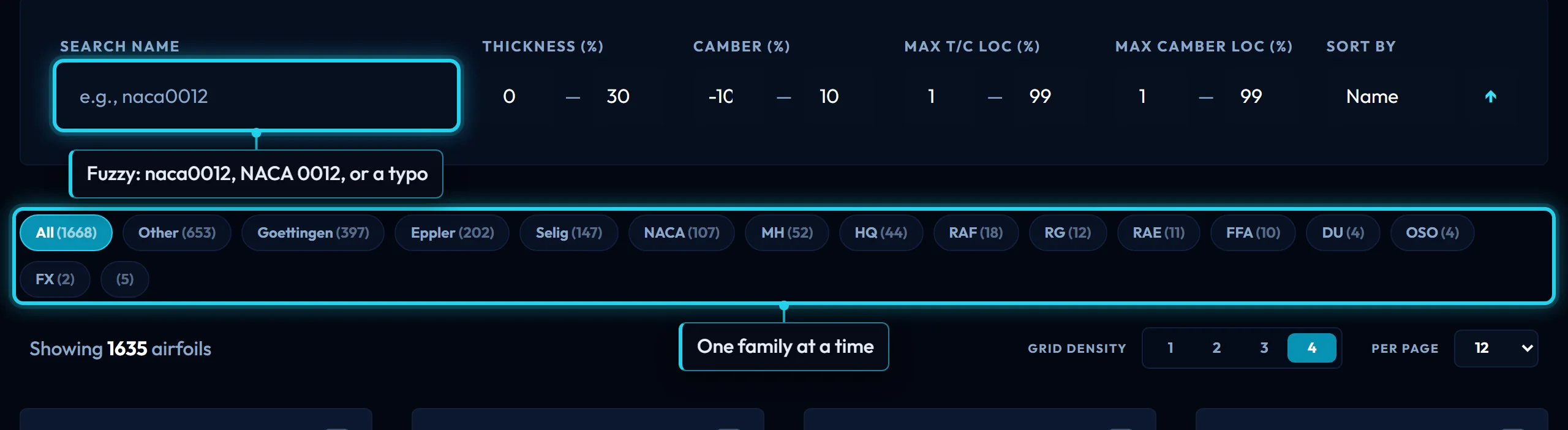
The name box matches the library name and the display name fuzzily, so naca0012, NACA 0012 and a typo away from either all find it. An exact match is listed first, then names that start with what you typed, then the rest by closeness. Typing a name switches Sort to Relevance; clearing it switches back to Name.
The pills under the filters are the families, each with its count. One at a time: it narrows every other filter to that family, and the same pill again clears it.
Filter by the figures
Transcript
- Thickness 10 to 14 %: thick enough to carry a carbon spar, thin enough for a fast foil.
- Camber 0 to 3 %: low camber keeps the drag bucket where a fast foil cruises.
- Sort by thickness or camber to read the family in order; open a card for its page, polars and downloads.
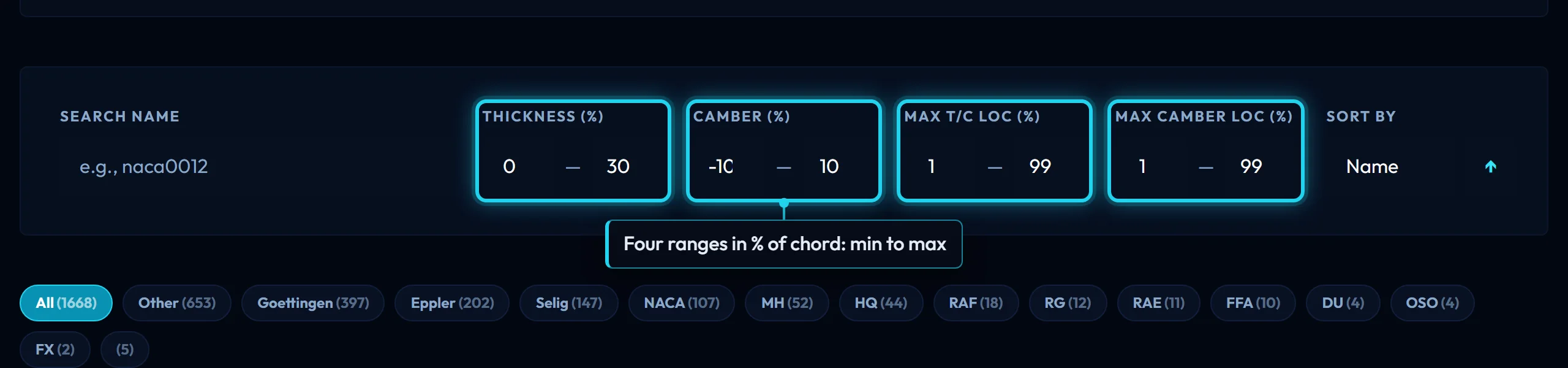
Four ranges in percent of chord, inclusive at both ends; a section stays only when all four hold. Thickness is the maximum thickness and Max t/c loc where it sits, from the leading edge. Camber is how far the mean line bows from the chord line, negative below it, and Max camber loc where it peaks. They open wide enough to pass the whole library. The figures are measured from the drawn CST geometry, the same curve the DAT and DXF carry, which is why a section can read a few tenths of a percent off its designation.
A worked filter, for the freeride foil of Getting started: thickness 10 to 14 %, enough to carry a carbon spar at a 110 mm chord, and camber 0 to 3 %, low for a section that must be fast at a lift coefficient near 0.35. That narrows the library a long way, and the n63412 the reference design uses is among what is left.
Sort and layout
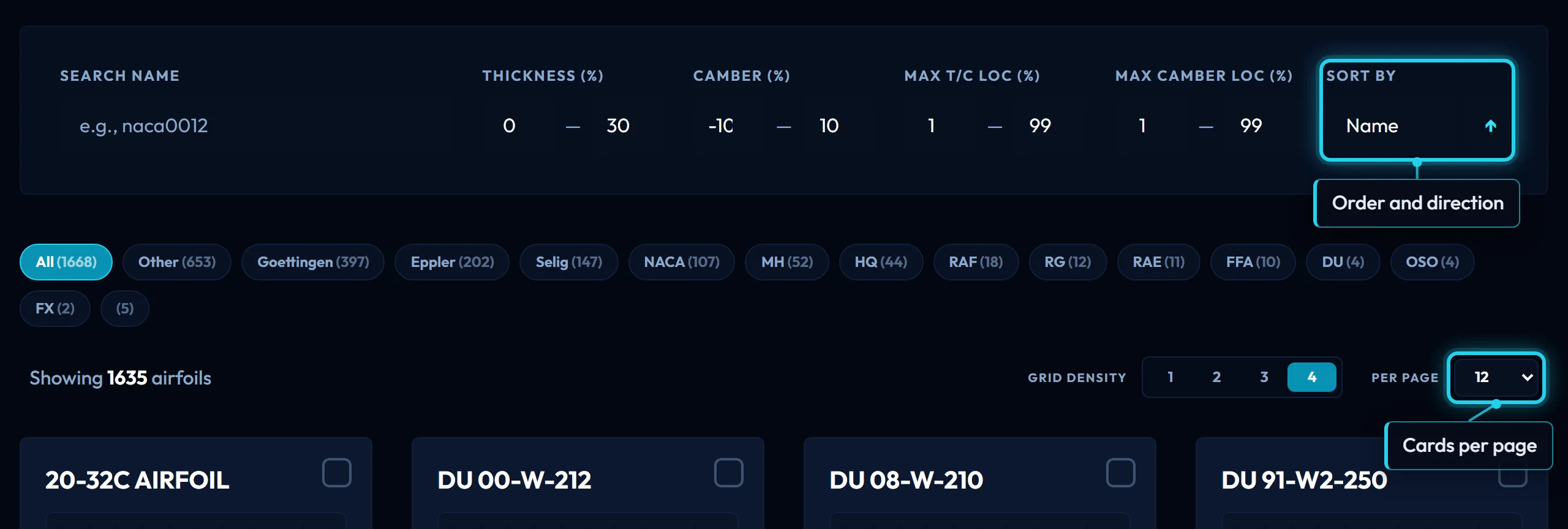
Sort by orders the cards by Name, Thickness or Camber, or by Relevance to the typed name; the arrow flips ascending and descending. With a name typed, the exact and prefix matches come first whatever the sort, and Relevance ignores the arrow. Grid density is cards per row, one to four. Per page is how many cards a page holds, 12 to start. None of these changes which sections are in the list.
What a card shows
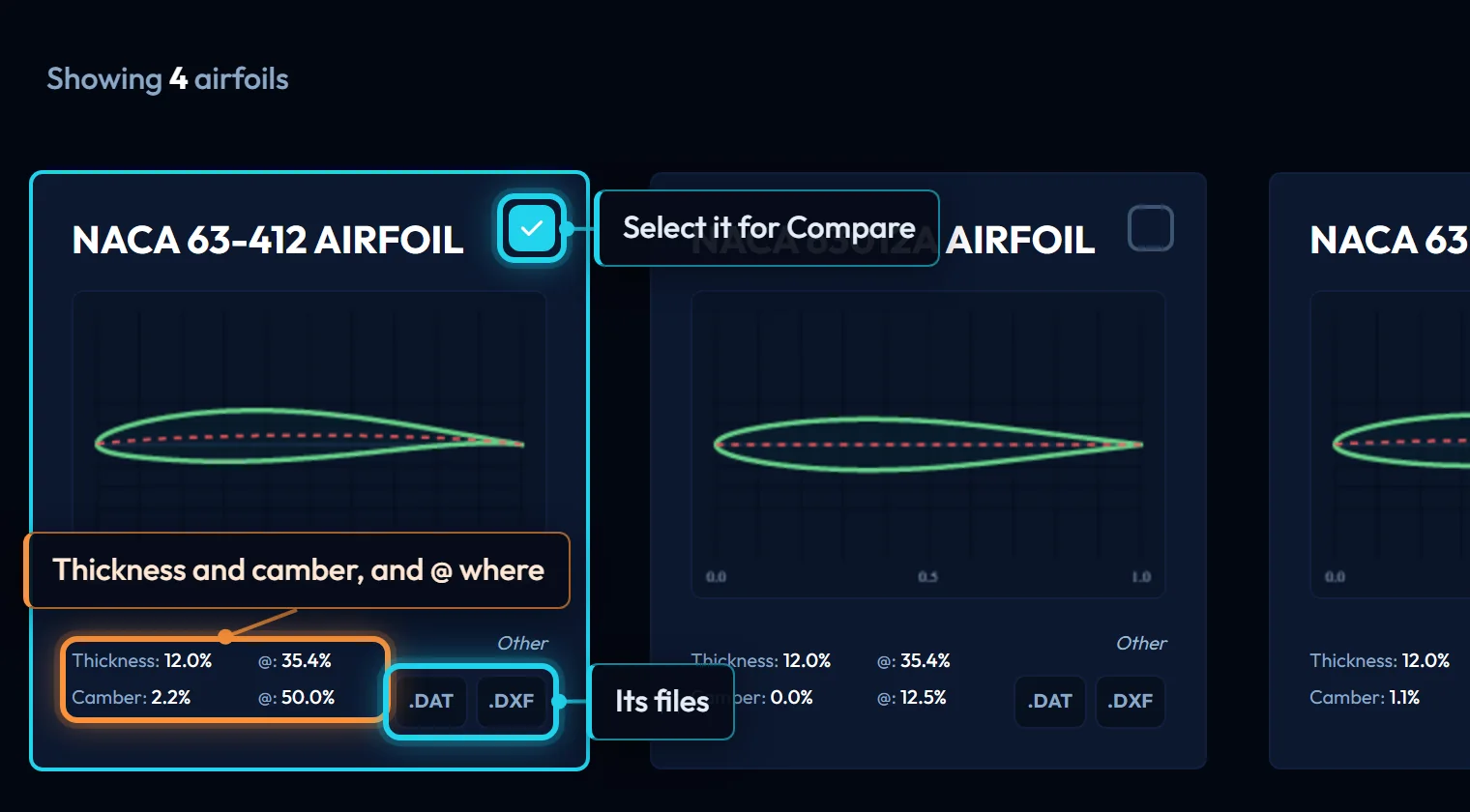
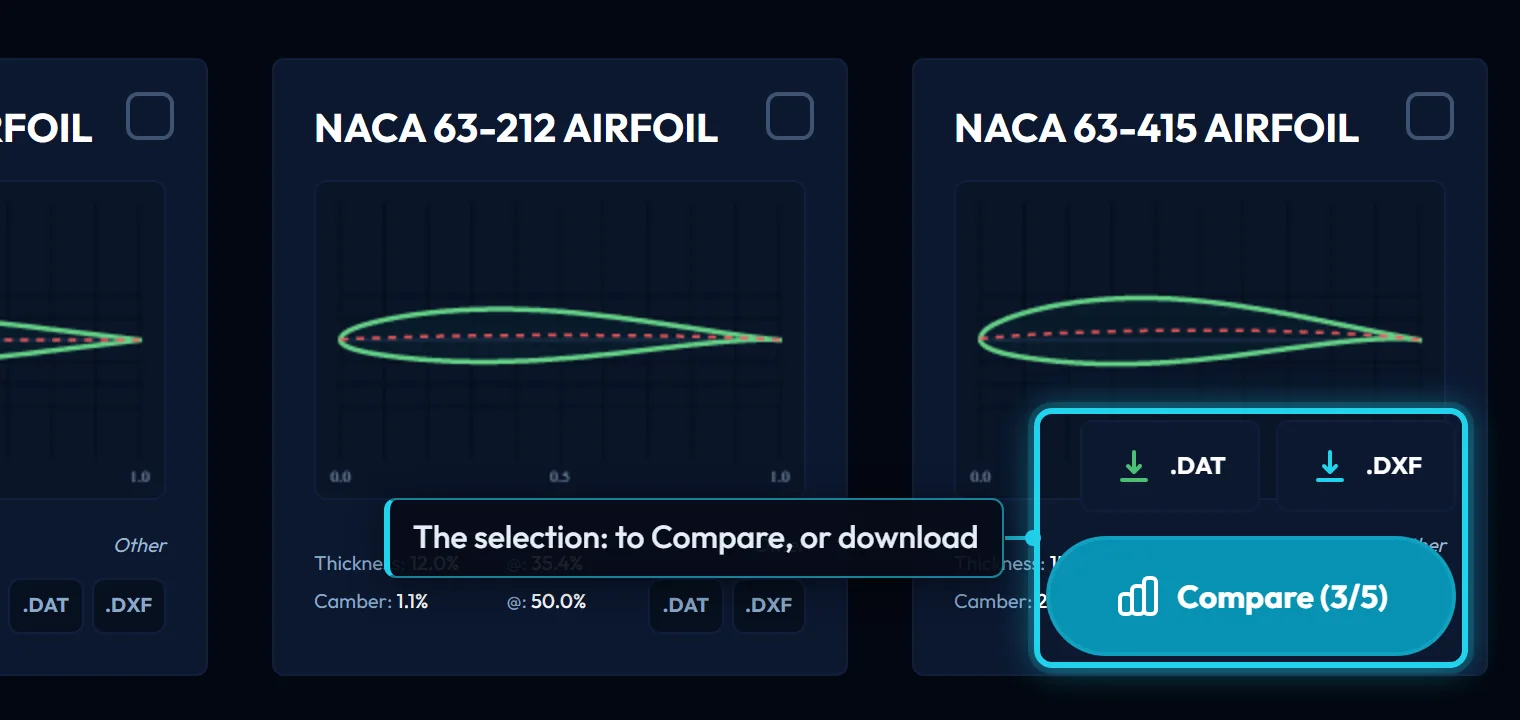
The section at unit chord with its mean line dashed, on a fixed vertical scale, so a thick section looks thick next to a thin one. Under it, Thickness and Camber in percent of chord, each with an @ figure: where along the chord that maximum sits, in percent from the leading edge. Clicking the card opens the section's page.
Select, compare, download
The box in a card's corner selects it, up to 5 at once; the selection is kept in this browser and is waiting on Compare. While anything is selected a bar floats at the bottom right: Compare opens the selected sections on one chart, and its .DAT and .DXF buttons download every selected section, one file each. The same two buttons on a card download that section alone: DAT as 151 Selig-order points at unit chord, DXF at a 1000 mm chord. File formats has the details.
What this hands on
One section's name. The card opens its page, where the stored polars say what it does at your Reynolds number; a selection goes to Compare to be read side by side first.
Controls on this page
| Control | What it does | Units |
|---|---|---|
| Search name | Matches the library name and the display name, fuzzily, so a typo or a missing space still finds it. An exact name comes first, then names that start with what you typed. Typing switches Sort to Relevance. | |
| Thickness | Keeps sections whose maximum thickness, as a percentage of chord, lies between the two values. Opens at 0 to 30, which is the whole library. | % chord |
| Camber | Keeps sections whose maximum camber, as a percentage of chord, lies between the two values; a negative value is camber below the chord line. Opens at -10 to 10. | % chord |
| Max t/c loc | Keeps sections whose thickness peaks between the two positions, as a percentage of chord from the leading edge. Opens at 1 to 99. Further aft usually means a longer laminar run. | % chord |
| Max camber loc | Keeps sections whose camber peaks between the two positions, as a percentage of chord from the leading edge. Opens at 1 to 99. | % chord |
| Sort by | Orders the cards by Name, Thickness or Camber, or by Relevance to the name you typed. With a name typed, an exact match and then names starting with it always come first, whatever the sort. | |
| Sort direction | Flips the order: ↑ ascending, ↓ descending. It applies to Name, Thickness and Camber; Relevance is always best match first. | |
| Grid density | How many cards per row, 1 to 4. A phone opens at 1. It changes the layout and nothing else. | |
| Per page | Cards per page: 12, 24, 48, 96, 200. Opens at 12. The count after Showing is the whole filtered list; Prev and Next page through it. | |
| Card figures | Thickness and camber as a percentage of chord, each with @: where along the chord it peaks, as a percentage from the leading edge. Measured from the drawn CST geometry, the same curve the DAT and DXF carry. | % chord |
| Select to compare | The box on a card selects it, up to 5 at once; the selection is kept in this browser. Compare opens the selected sections on one chart, and the floating DAT and DXF buttons download them all. | |
| DAT and DXF | DAT: 151 Selig-order points at unit chord, for XFLR5, XFoil or OpenVSP. DXF: the section at a 1,000 mm chord, for CAD. Each card has its own pair; the floating pair downloads every selected card, one file each. |